This FIFINE AmpliGame AM8 review looks at a desktop dynamic microphone built for gaming, streaming, and recording, with USB and XLR connections.
AmpliGame AM8 Review Summary
The quick verdict
11,000+ ratings
Read Amazon ReviewsFIFINE AmpliGame AM8
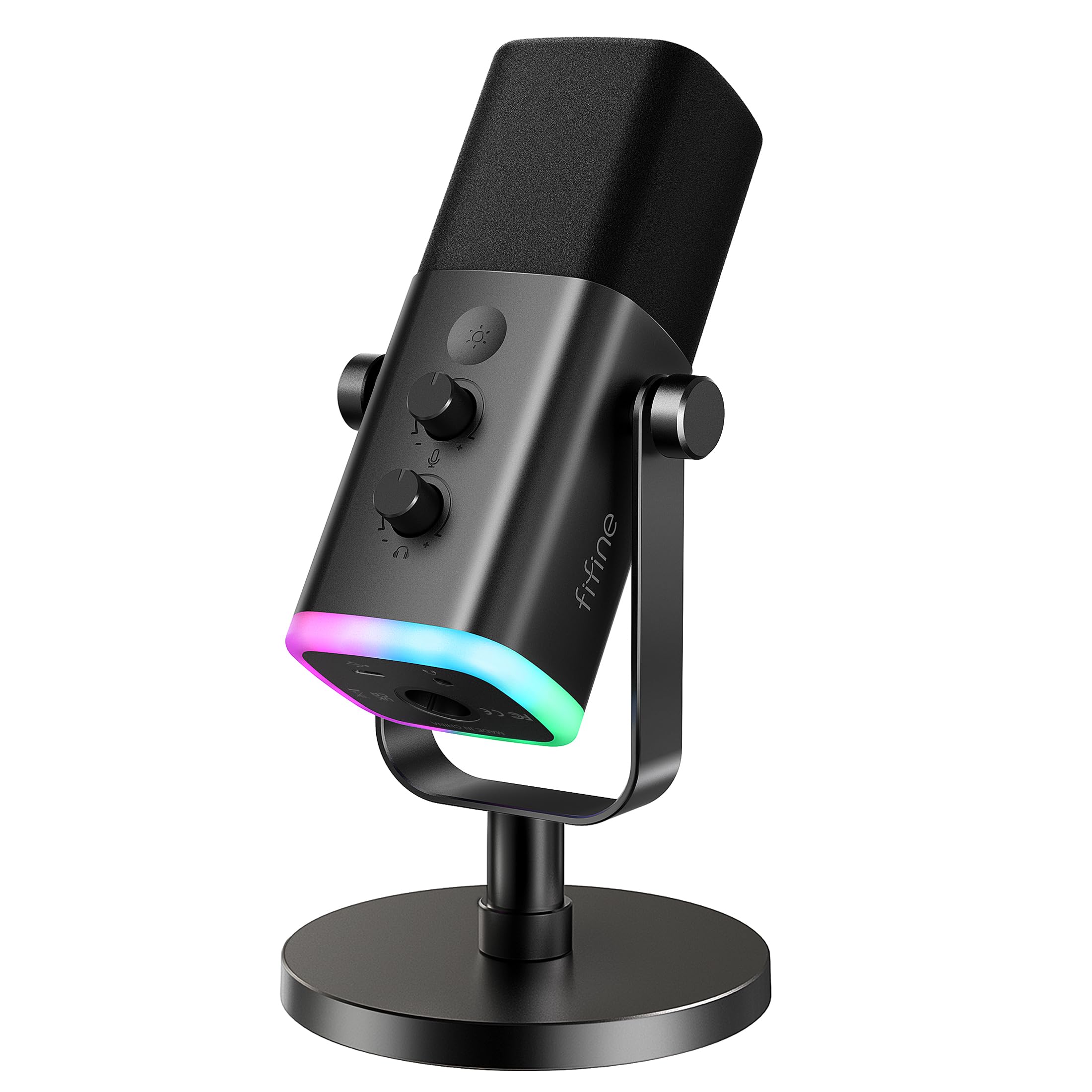
A flexible desktop microphone for creators who want USB convenience, XLR upgrade options, and USB-only RGB and mute controls.
- Dynamic microphone with USB and XLR connections for computer use or an interface/mixer setup.
- Cardioid pickup pattern and 50Hz–16KHz frequency response.
- USB tap-to-mute with an LED mute reminder.
- USB-only RGB offers three modes and more than ten colors, with setting memory.

Pros
- USB offers direct plug-in use and a physical tap-to-mute control.
- The XLR connection leaves room to add an interface or mixer later.
Consider before buying
- The XLR cable must be purchased separately, adding a step for buyers moving directly to an interface or mixer.
- RGB and the function key are inactive over XLR, so buyers who want those controls need to use USB.
Read the full review summary
The AmpliGame AM8 combines plug-and-play USB use with an XLR path for a later interface or mixer setup.
USB users get tap-to-mute, a mute reminder, headphone monitoring, gain and monitoring-volume controls, plus RGB lighting; those controls and lights are inactive over XLR.
It is a sensible fit for beginner creators who want one mic for a gaming desk, podcasts, or vocal recording and value visible controls and an upgrade route.
The tradeoff is that the XLR cable is separate, and the AM8’s USB conveniences do not carry over to XLR operation.
The buying factors
AmpliGame AM8 Scorecard
Editorial scores reflect listed features and buyer fit; they are not laboratory measurements or customer ratings.
Connection flexibility
USB supports direct computer use, while XLR can connect to an interface or mixer with a separately purchased cable.
USB controls
USB mode adds tap-to-mute with an LED reminder, along with gain and monitoring-volume controls.
XLR upgrade path
The XLR output supports an interface or mixer setup, though the cable is not included and USB functions are unavailable in that mode.
Lighting customization
USB mode provides three lighting modes and more than ten colors, with memory for the selected setting after power-off.
Mounting options
Built-in 3/8-inch and 5/8-inch threads suit many mic stands without an external adapter.
Use across settings
The mic is positioned for gaming, podcasting, streaming, and singing, with a desktop stand included in its product title.
Key Features and Specifications of AmpliGame AM8
- Dynamic microphone with USB and XLR connections for computer use or an interface/mixer setup.
- Cardioid pickup pattern and 50Hz–16KHz frequency response.
- USB tap-to-mute with an LED mute reminder.
- USB-only RGB offers three modes and more than ten colors, with setting memory.
- USB mode includes a headphone jack and controls for monitoring volume and mic gain.
- Built-in 3/8’’ and 5/8’’ metal threads fit many mic stands without an external adapter.
- A windscreen cover is included to help reduce hum from nearby electrical appliances.
Pros and Cons of AmpliGame AM8
Pros
- USB offers direct plug-in use and a physical tap-to-mute control.
- The XLR connection leaves room to add an interface or mixer later.
- RGB settings, mute reminder, headphone monitoring, and gain adjustment are available in USB mode.
- The built-in stand threads accommodate common mic-stand sizes without an external adapter.
Consider before buying
- The XLR cable must be purchased separately, adding a step for buyers moving directly to an interface or mixer.
- RGB and the function key are inactive over XLR, so buyers who want those controls need to use USB.
- For close-mic setup, plan for a short working distance; the suggested recording range is 2 to 6 in.
Who Should Buy AmpliGame AM8?
Good fit
Choose the AmpliGame AM8 if you want a desktop USB mic for gaming, streaming, or beginner podcasting and would use convenient mute, headphone monitoring, gain adjustment, and RGB controls. Its direct USB setup keeps the basic connection simple.
It also suits someone who expects to add an interface or mixer later. Keep in mind that this upgrade path requires a separate XLR cable and gives up the mic’s RGB and function-key controls while connected that way.
Who should skip it
Skip it if you need RGB and the function key to remain available in an XLR-based setup; those controls are USB-only.
It is also a poor match if you do not want to manage a separate XLR cable for an interface or mixer connection.
AmpliGame AM8 Review: Choosing the Right Connection
USB for a straightforward desk setup
USB is the most complete mode for this microphone: it enables plug-in computer use, tap-to-mute, a mute reminder, headphone monitoring, gain adjustment, and RGB.
That makes it a good match for creators who want controls at the mic and do not plan to route through a separate audio interface.
XLR is an upgrade path with a cable caveat
XLR makes the AM8 usable with an interface or mixer, which can suit a more involved recording setup.
That route requires a separate XLR cable, and the RGB and function key become inactive, so choose it for connection flexibility rather than the USB control set.
Close placement and directional pickup
The cardioid dynamic design is intended to focus on a nearby voice and reject unwanted off-axis noise.
The suggested recording range of two to six inches makes placement part of the setup: position the end-addressing top toward the sound source and keep it close for the intended use.
Desk lighting and mounting
The RGB ring is a USB feature, with three modes, more than ten color choices, and memory for the selected setting.
Built-in 3/8’’ and 5/8’’ threads also give the mic a route to many stands without an external adapter, useful if a desktop stand is not the preferred position.
Alternatives to AmpliGame AM8
Multipurpose Dynamic Microphones alternative

5,000+ ratings
Read Amazon ReviewsSamson Q2U Dynamic USB-C/XLR Microphone
Prefer the Q2U if you want a handheld form and an included XLR cable; choose the AmpliGame AM8 if desktop RGB and USB tap-to-mute suit your setup better.
- The Q2U is a handheld USB-C/XLR microphone and includes a USB-C cable, XLR cable, mic clip, and desktop tripod accessories.
- The AmpliGame AM8 focuses on desktop gaming with USB tap-to-mute and RGB, while its XLR cable is separate.
Multipurpose Dynamic Microphones alternative
600+ ratings
Read Amazon ReviewsSAMSON Q9U XLR/USB Dynamic Broadcast Microphone
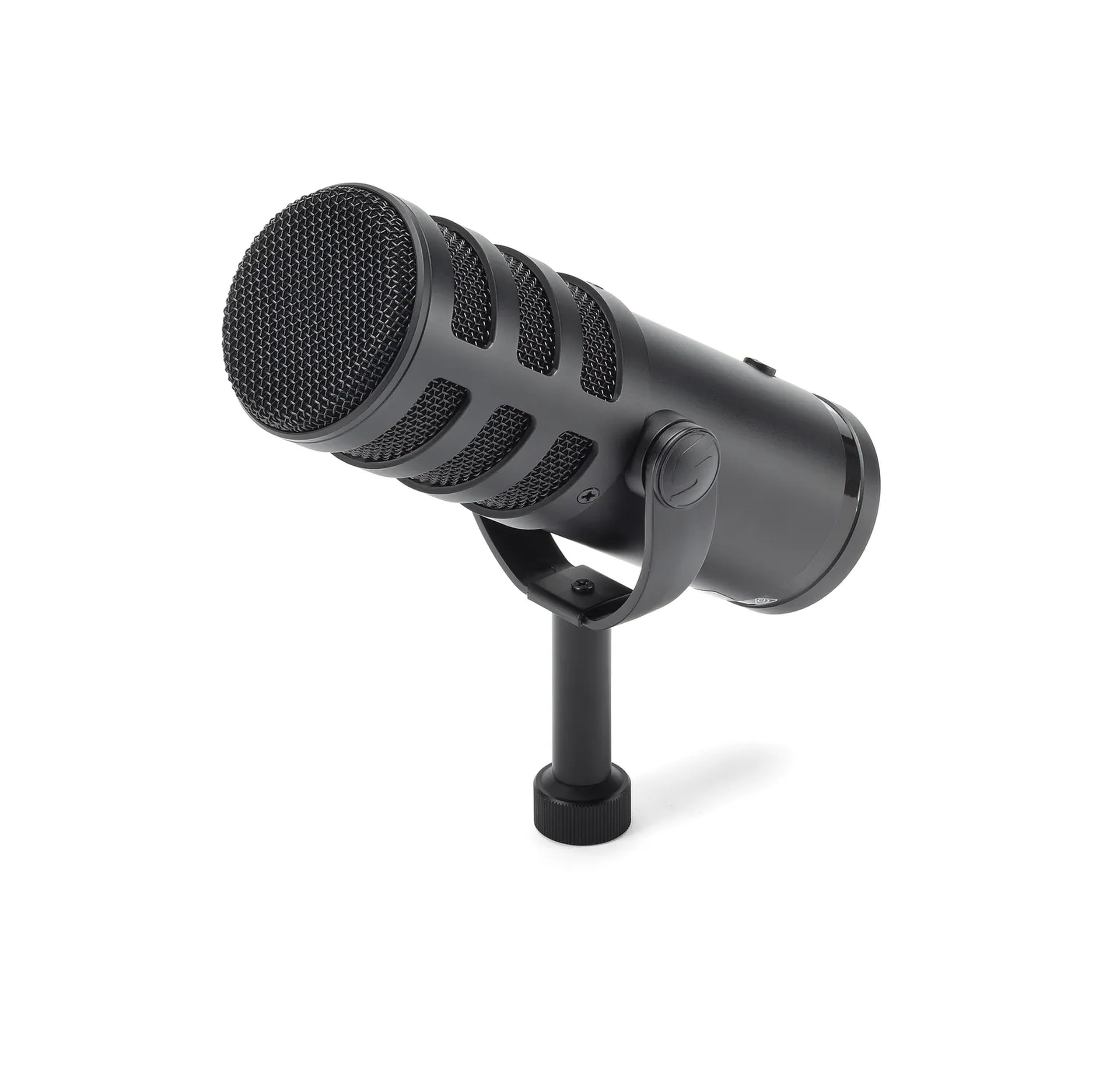
Choose the Q9U if USB-C recording resolution and headphone monitoring in real time matter, including mute control across both outputs. The AmpliGame AM8 better fits a desk setup where USB RGB and tap-to-mute are the priority.
- The Q9U offers USB-C recording at 24-bit/96kHz, zero-latency headphone monitoring, and a mute switch that silences both USB and XLR outputs.
- The AmpliGame AM8 pairs USB tap-to-mute and controllable RGB for a gaming desk; those functions are inactive over XLR.
Is AmpliGame AM8 Worth It?
The FIFINE AmpliGame AM8 is worth considering if you want a flexible desktop dynamic mic with straightforward USB controls and the option to move to XLR later.
Its cardioid design, mute controls, headphone monitoring, gain adjustment, RGB, and stand threads cover a useful range of gaming and creator setups.
Buy it with the USB/XLR distinction in mind: the XLR cable is separate, and RGB and the function key work only over USB.
If those tradeoffs fit your setup, the AM8 offers a practical mix of desk-friendly controls and connection flexibility.
Your review at a glance
11,000+ ratings
Read Amazon ReviewsFIFINE AmpliGame AM8
A flexible desktop microphone for creators who want USB convenience, XLR upgrade options, and USB-only RGB and mute controls.
- Dynamic microphone with USB and XLR connections for computer use or an interface/mixer setup.
- Cardioid pickup pattern and 50Hz–16KHz frequency response.
- USB tap-to-mute with an LED mute reminder.
- USB-only RGB offers three modes and more than ten colors, with setting memory.