A home office works best when its tools suit the way someone spends the day, whether that means video calls, focused work, creative recording, or gaming between tasks.
These 12 home office tech gifts cover useful desk upgrades and accessories. Before choosing, consider the recipient’s devices, workspace and the setup they already use.
12 Home Office Tech Gift Ideas for Every Kind of Desk
JLab Go Work Wireless Headset (1 Pack)

- Connects wirelessly to two devices at once through Bluetooth multipoint.
- Includes a Type-C to 3.5mm AUX cable for wired use.
- Offers over 45 hours of playtime on one charge.
Best Gift For: A remote worker who moves between laptop calls and mobile listening.

FIFINE T669 USB Studio Microphone Kit

- Connects to a PC or laptop through USB without extra hardware or drivers.
- Includes an adjustable boom arm with a desktop mount.
- A double pop filter helps minimize popping sounds.
Best Gift For: A home creator recording podcasts, voiceovers, or online calls.
HUANUO FlowLift Single Monitor Arm

- Fits monitors from 13 to 32 inches and holds 4.4 to 19.8 lbs.
- Offers tilt, swivel, and rotation adjustments.
- Can mount with a C-clamp or grommet base.
Best Gift For: Someone who wants to reposition a compatible monitor around their desk.
BESTEK PD20W Power Strip Tower
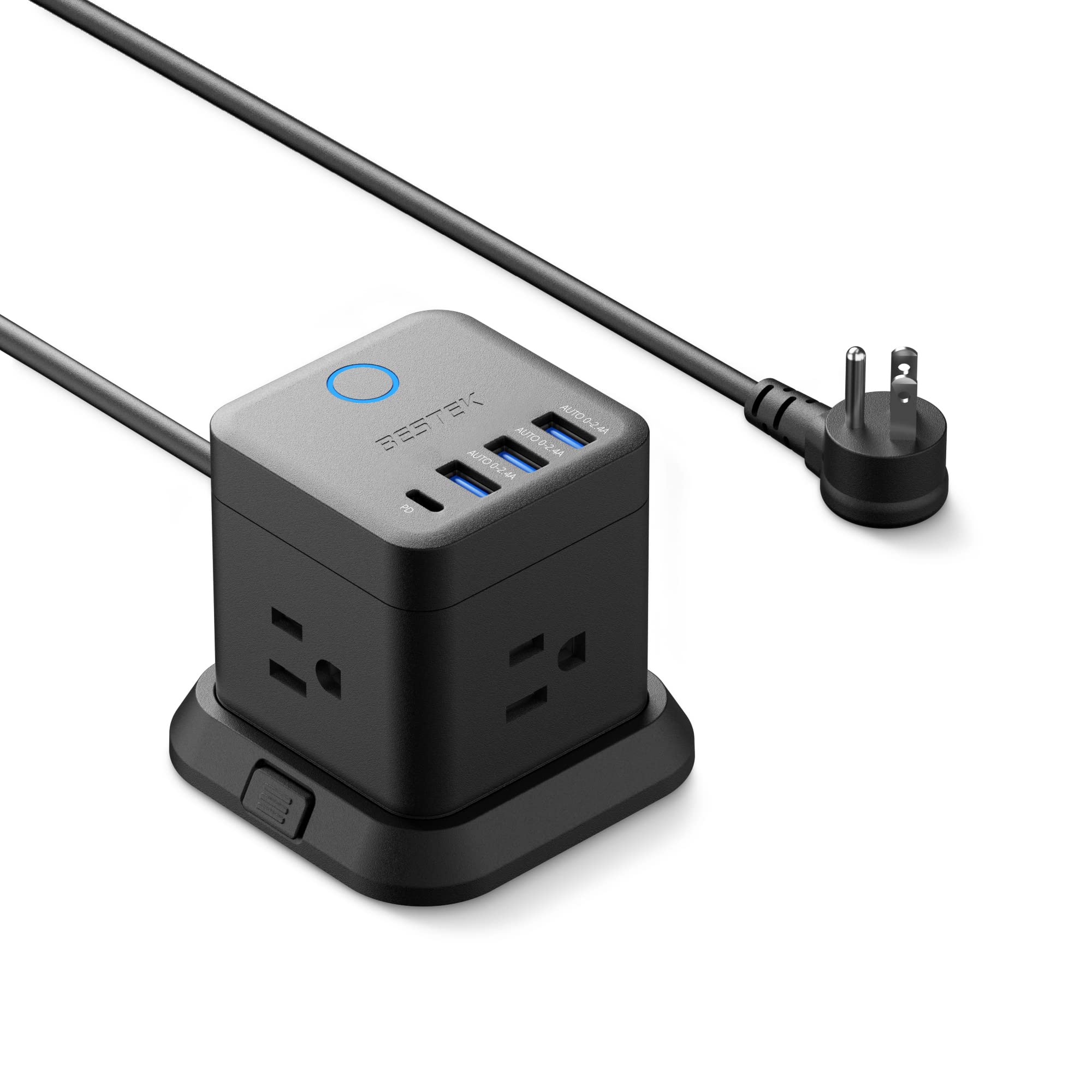
- Provides three outlets, three USB-A ports, and one USB-C port.
- Can mount on a desktop, under a table, or on a wall.
- Its flat plug is designed to fit narrow spaces.
Best Gift For: A desk worker who needs a compact place to connect several devices.
SABRENT USB-C and USB-A SD Card Reader

- Has USB-C and USB-A connections for compatible devices.
- Reads SD and Micro SD cards, including SDHC and SDXC.
- Requires no drivers or software to access files.
Best Gift For: A desk worker who regularly transfers files from memory cards.
TP-Link BE6500 WiFi 7 Router (BE400)
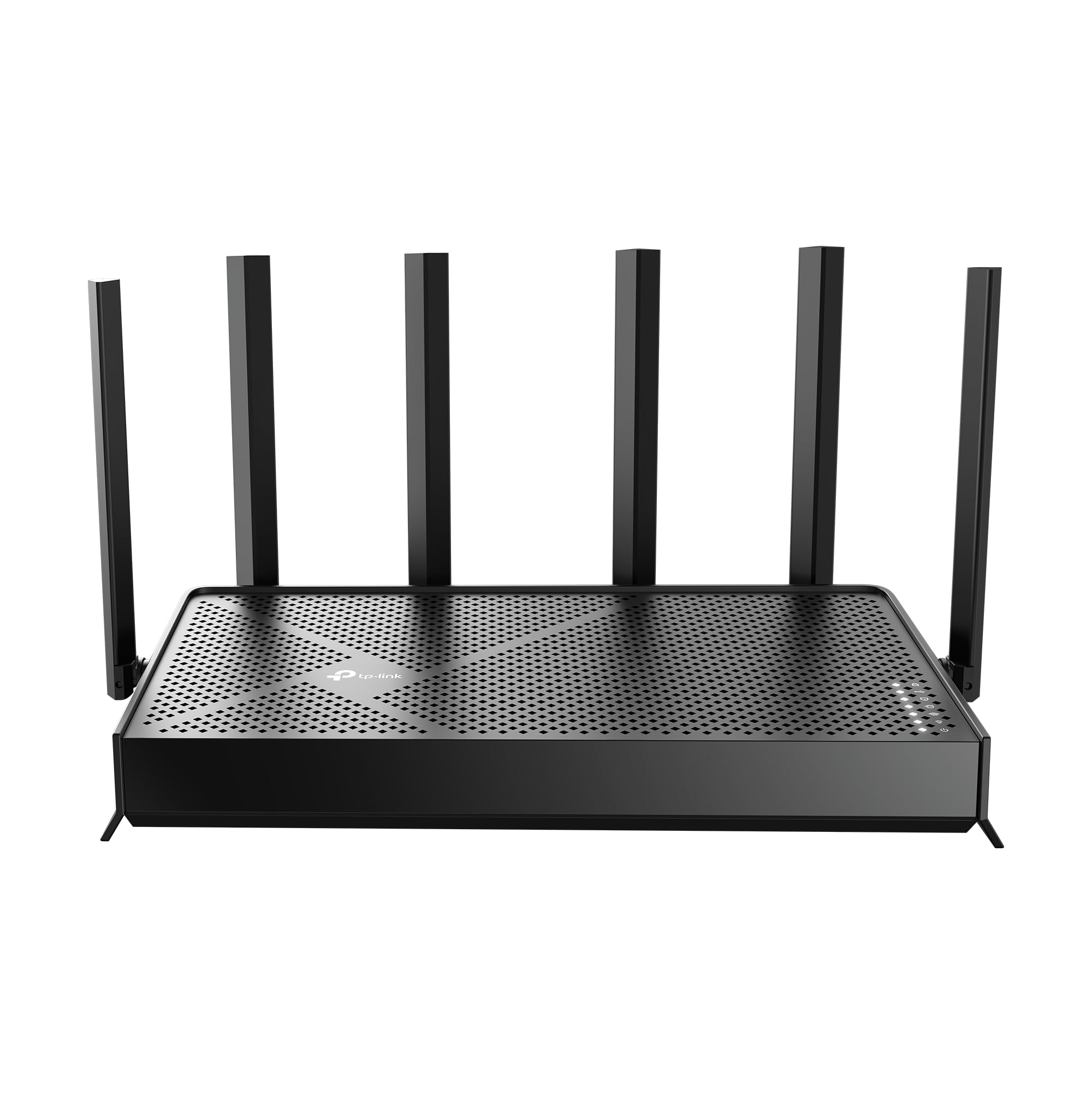
- Uses WiFi 7 technology with Multi-Link Operation.
- Supports coverage up to 2,400 sq. ft. for up to 90 devices.
- Includes wired ports with 2.5 Gbps capability.
Best Gift For: A remote worker looking to update the home network for multiple devices.
SteelSeries Apex Pro TKL Gaming Keyboard

- OmniPoint switches provide adjustable actuation.
- Allows two actions to be programmed to the same key.
- Has a detachable USB-C connection.
Best Gift For: A PC gamer who wants adjustable key response and a compact keyboard layout.
Audioengine A2+ Wireless Computer Speakers

- Bluetooth supports wireless streaming from phones, tablets, and computers.
- USB-C, RCA, and 3.5mm AUX inputs support wired connections.
- Real wood cabinets and custom-tuned drivers shape the sound.
Best Gift For: Someone who enjoys music, podcasts, or clear audio at their desk.
Nulaxy Pull-Out Height Adjustable Laptop Stand

- Fits laptops from 10 to 17 inches.
- The screen height adjusts from 1.2 to 20 inches.
- Folds for storage and portability.
Best Gift For: A laptop user who switches between sitting and standing at a desk.
SteelSeries Rival 5 Gaming Mouse

- Has nine programmable buttons, including five quick-action side buttons.
- Uses a TrueMove Air optical gaming sensor.
- Weighs 85g.
Best Gift For: A PC gamer who plays fast-paced games and uses programmable side buttons.
MAONO Wave T5 Mini Wireless Lavalier Microphone

- Offers noise-cancellation modes adjustable through the Maono Link App.
- Includes four one-tap voice filters.
- The charging case provides up to 40 hours of total use.
Best Gift For: A creator recording video, interviews, or lessons with a phone or camera.
LISEN Qi2 15W MagSafe Battery Pack, 5000mAh
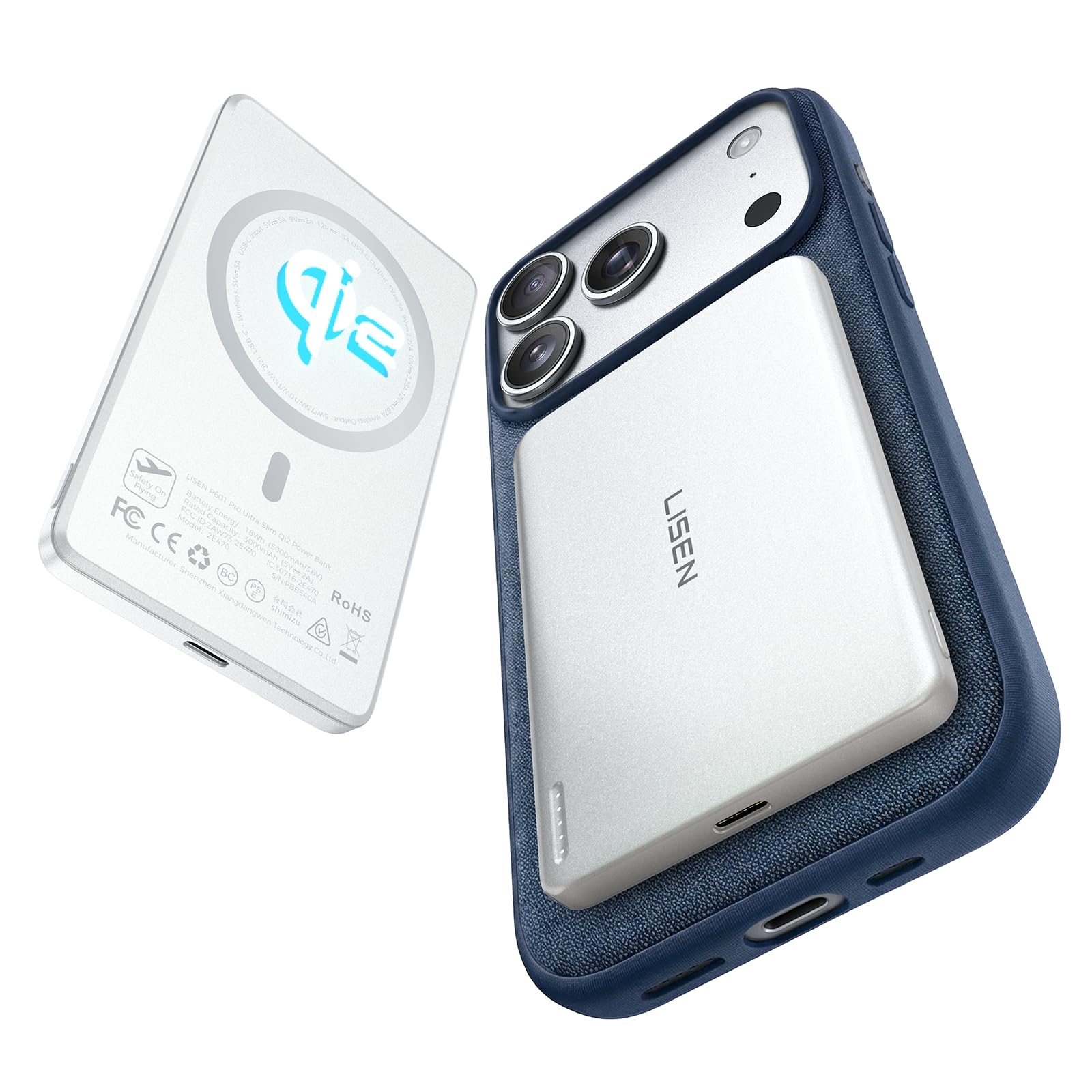
- Has a slim 0.38-inch profile.
- Supports 15W Qi2 wireless charging.
- Its magnetic connection is designed for compatible iPhones.
Best Gift For: An iPhone user who wants portable wireless power for meetings or commuting.
1. Match Home Office Tech Gifts to the Workday
When choosing home office tech gifts, start with what the recipient does most often. Someone on video calls may appreciate audio equipment, while a creator who records lessons or podcasts could use a microphone.
A person who mainly handles documents may benefit more from a desk setup accessory or card reader.
Think about where the recipient works, too. A compact desk, shared room, or temporary workspace changes what feels practical.
For larger items, consider whether there is room for speakers, a monitor arm, or a router, and whether the desk or home network can support the setup.
A useful gift should fit into an existing routine. If you are unsure what they already own, focus on compatibility clues you can confirm, such as the computer’s available ports, the phone model, monitor size, or whether their work involves frequent calls.
2. Balance the Budget with Everyday Use
Set a comfortable budget before comparing options. Small accessories can be thoughtful when they solve a regular annoyance, while audio gear, networking equipment, or a larger desk upgrade may suit a more substantial occasion.
Consider how often the recipient would use the gift and whether it addresses a real need.
For a modest spend, think about convenient add-ons that support equipment they already have. For a larger purchase, check whether the recipient’s devices can use the key connections and features.
A premium item may be a poor fit if it requires a setup the recipient does not want to manage.
Check actual prices before ordering, since prices can change. For larger or more specialized equipment, verify dimensions, mounting needs, device compatibility, and the recipient’s workspace.
Keeping the budget qualitative makes it easier to choose on practical fit rather than a temporary price snapshot.
3. Add a Personal Touch to Home Office Tech Gifts
Home office tech gifts feel more personal when they reflect a habit or interest the recipient has mentioned. A person who records video might appreciate an upgrade that supports that routine; someone who listens to music while working may enjoy a desk audio addition.
A short note explaining why you chose it can make a practical item feel considered.
Presentation can be simple and useful. Pair the main gift with a handwritten card, or wrap a compact accessory in a reusable pouch that can later hold cables.
For a desk upgrade, you might include a note offering to help plan where it will go, while leaving the recipient free to arrange their own workspace.
Avoid adding accessories just for a fuller package unless you know they fit. Cable types, mounts, cases, and device generations vary.
If you do include a companion item, check compatibility first and make the connection between the pair clear in your card.
4. Choose for the Workspace and Setup
Before buying equipment that attaches to a desk or connects to a device, check the recipient’s setup. A monitor arm depends on the monitor and desk, while a laptop stand should suit the computer’s size.
For audio or file-transfer accessories, confirm the ports and devices they use.
Networking gifts can be especially dependent on the home setup. Consider whether the recipient controls the router and whether their internet equipment and devices can work with the planned change.
A thoughtful gift may be a promise to help compare options together if a standalone product would be hard to choose.
If you cannot check these details discreetly, choose a less setup-dependent item or give a note describing the idea and invite the recipient to select the exact fit. This keeps the gesture personal while avoiding a box that cannot be used with their current equipment.
5. Last-Minute Buying Advice
For a last-minute gift, prioritize products that fit a device or routine you already know. Read the current product details carefully, particularly compatibility, dimensions, included accessories, and any setup requirements.
Check the seller’s estimated delivery date at checkout rather than assuming it will arrive in time.
If delivery timing is uncertain, a printed note describing the gift can preserve the occasion while you confirm the order. For a product with several connection options or mounting parts, include a brief note suggesting that you check the setup together before opening or installing it.
Give yourself time to review the order details and delivery estimate, then choose a presentation that suits the recipient: a simple card, a small desk-themed wrapping detail, or an offer to help arrange the workspace. A thoughtful home office gift should feel useful and easy to adopt.