Developers spend their days solving problems, building things, and switching between focused work and collaboration. A useful gift can make a familiar workspace more comfortable or add a little fun to time away from the keyboard.
This collection of 10 gift ideas for developers covers desk accessories, input devices, audio gear, connectivity, and a few bigger entertainment upgrades. Consider their setup and habits before choosing.
10 Gift Ideas for Developers and Their Workspaces
HUANUO FlowLift Single Monitor Mount

- Adjust the screen position with tilt, swivel, and rotation.
- Choose between clamp and grommet mounting options.
- Fits supported 13 to 32 inch monitors.
Best Gift For: A developer who wants to reposition a compatible monitor for a more comfortable desk setup.

Nulaxy Pull-Out Height Adjustable Laptop Stand

- Adjust the laptop screen height for seated or standing use.
- The height and tilt adjust for viewing comfort.
- Fold it away to save desk space.
Best Gift For: A laptop user who alternates between seated and standing work at a desk.
SteelSeries Apex Pro TKL Gaming Keyboard

- Set per-key actuation levels to suit different keys.
- Assign two actions to a single key.
- The tenkeyless design includes a detachable USB-C connection.
Best Gift For: A developer who enjoys customizing keyboard response and also plays PC games.
SteelSeries Aerox 3 Wireless Gaming Mouse

- The lightweight shell is designed for fast gameplay.
- Connect using 2.4GHz wireless or Bluetooth.
- The interior has protection against splashes, dust, and dirt.
Best Gift For: A developer who also enjoys wireless PC gaming and wants a lightweight mouse.
FIFINE T669 USB Microphone Kit

- Plug the microphone into a PC or laptop without extra drivers.
- The cardioid capsule captures audio from the front.
- The kit includes a desktop mic boom arm stand and a double pop filter.
Best Gift For: A developer who records voiceovers, podcasts, or online calls at a computer.
SABRENT USB-C 6-Port Hub with M.2 SSD Slot

- Connect devices through three USB Type-A ports.
- Connect an external display through HDMI.
- Add an M.2 SATA or NVMe SSD inside the hub.
Best Gift For: A developer who connects a laptop to peripherals, wired networking, or an external display.
Valerion VisionMaster Pro Triple Laser Projector
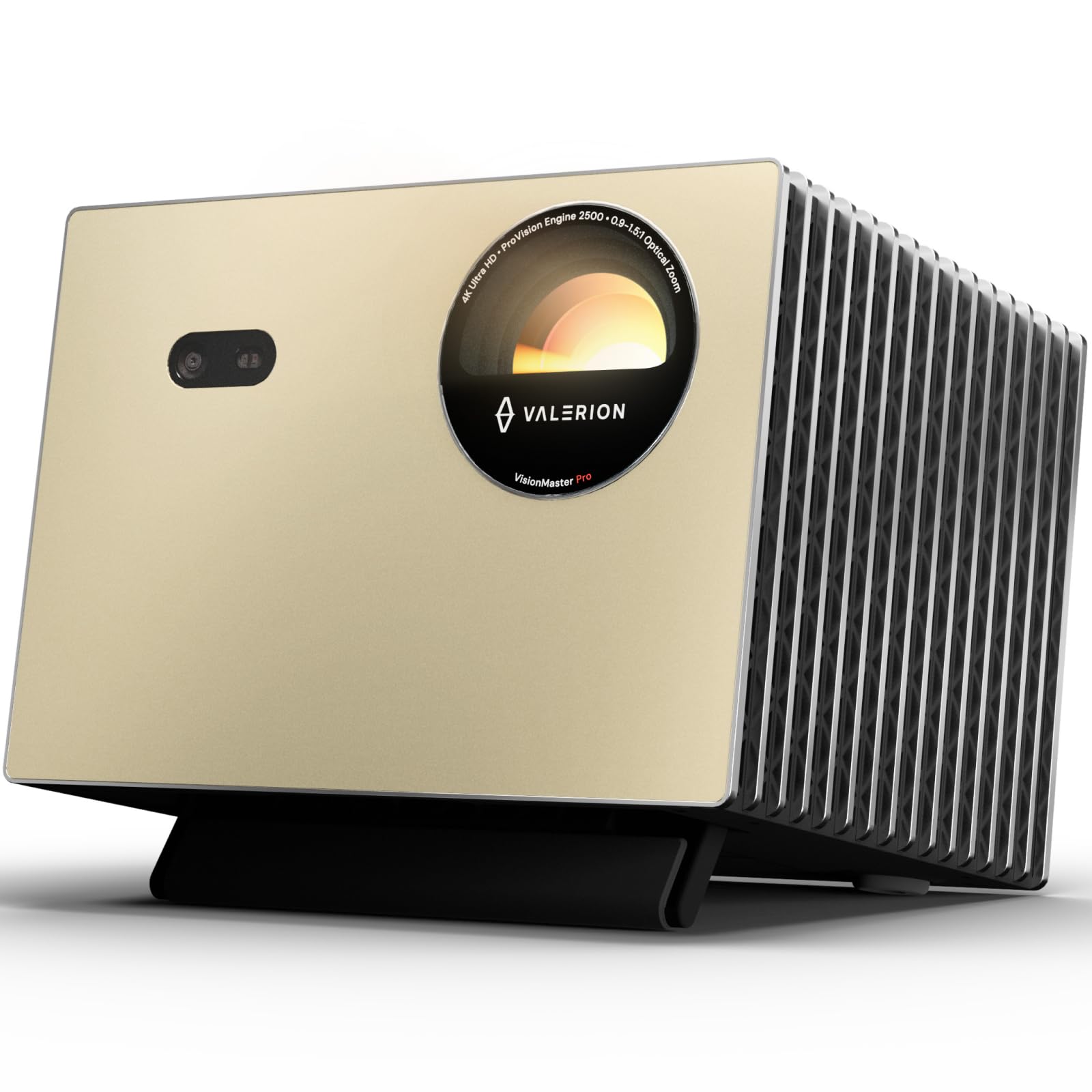
- Project 4K UHD images for movies and games.
- Adjust focus and keystone correction automatically.
- The projector supports a 240Hz refresh rate on ultra-wide 21:9 or 32:9 screens.
Best Gift For: A developer who enjoys gaming or movie nights on a projected screen.
TP-Link AXE5400 Tri-Band WiFi 6E Router

- Tri-band WiFi 6E supports multiple network bands.
- The router supports VPN server and client modes.
- OneMesh can extend a compatible TP-Link network.
Best Gift For: A developer looking to upgrade the home network for simultaneous work, streaming, and gaming.
LISEN 3-in-1 Travel Power Bank with Wall Plug
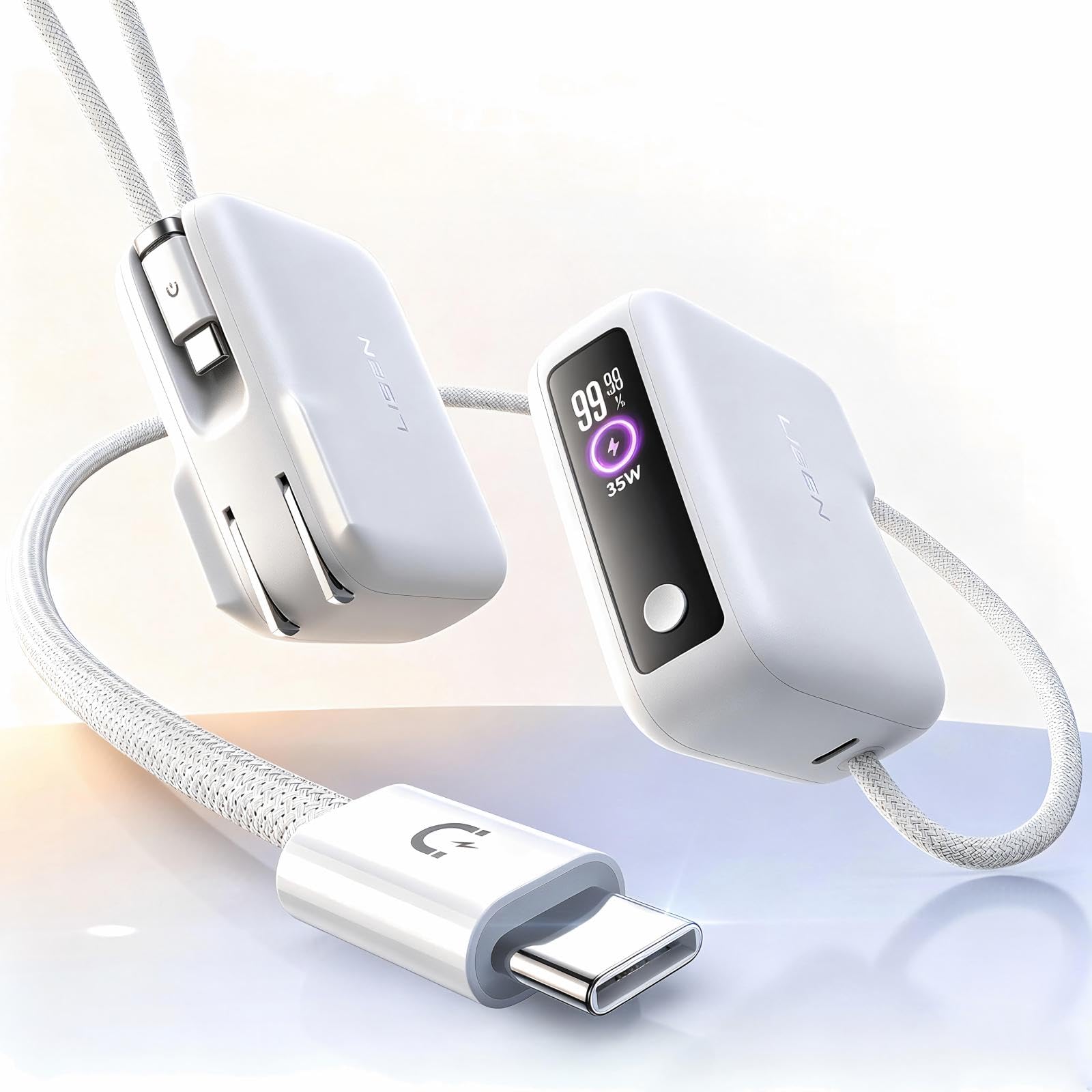
- Use the built-in cable to charge without packing a separate cord.
- The power bank has a 7000mAh capacity.
- Use the wall plug for charging at up to 35W.
Best Gift For: A developer who travels with a phone and wants a charger with an integrated cable.
SHOKZ OpenFit Open-Ear Bluetooth Earbuds

- The open-ear design is intended for comfortable wear.
- The earhooks provide a flexible, snug fit.
- The charging case provides up to 28 hours of listening.
Best Gift For: A developer who listens to audio while staying aware of nearby conversations and sounds.
Choosing gifts for developers by their workday
When choosing gifts for developers, start by picturing where the recipient spends focused time. Someone anchored to a home desk may appreciate a screen or laptop position they can adjust, while a person who moves between rooms may value a compact way to connect devices.
Think about what currently interrupts their flow: a crowded desk, awkward viewing angle, tangled charging cords, or a setup that is difficult to carry.
Pay attention to what they already own. A monitor arm needs a compatible display and a desk that can accept its mounting method; a laptop stand should suit the laptop and the person’s preferred working posture.
For hubs, check the computer’s ports and display compatibility. These practical checks can turn a promising idea into a gift that fits naturally into an existing routine.
The recipient’s interests matter as much as their job title. A keyboard, mouse, or projector may appeal to someone who enjoys gaming, while a microphone suits a person who records or joins frequent calls.
Open-ear audio may fit someone who wants to hear nearby sounds as they listen. Choose based on habits you have actually observed, rather than assuming every developer wants the same sort of gear.
Balancing budgets and the scale of the gift
Set a comfortable spending range before browsing. A small desk accessory or charging solution can make a useful individual gift, while major workspace or entertainment equipment is a larger commitment.
Within gifts for developers, there are practical everyday options alongside substantial upgrades, so the occasion and your relationship with the recipient can help guide the scale.
For a shared gift, ask contributors to agree on a budget and one clear purpose. A group might choose a major home entertainment upgrade for someone who has mentioned wanting one, while a personal gift can solve a smaller daily annoyance.
Check actual prices before deciding; amounts can change, and the item’s cost alone does not tell you whether it suits the recipient.
Think about what else a purchase may require. A desk mount may depend on the desk surface and monitor, while a network upgrade can involve existing equipment and service.
Factor those checks into the gift decision instead of treating the product as a guaranteed complete solution. When uncertain, choose something with a straightforward role in the person’s setup.
Personal touches for gifts for developers
A thoughtful note can explain why you picked something: perhaps you noticed a laptop constantly shifting on the desk or heard the recipient talk about recording a side project. For gifts for developers, that small detail makes the choice feel personal without turning the card into a technical explanation or implying that their current setup is inadequate.
Presentation can match the recipient’s style. Wrap a compact accessory with a handwritten note, or make larger equipment part of a planned shared occasion.
If the gift connects to an interest such as gaming, music, or home-office organization, mention that interest in the note and keep the wording warm and specific.
For technology gifts, include a simple offer to help with setup if that would be welcome. Avoid opening or configuring equipment without asking, since the recipient may have preferences about their workspace or devices.
Keep receipts and packaging accessible when possible, and let them decide how and when to incorporate the item.
Last-minute buying advice
A short deadline makes focused research more useful than rushed speculation. Confirm the exact model and variant, then check compatibility with the recipient’s computer, phone, desk, or other equipment as relevant.
Read current product details carefully, especially when a device depends on particular ports, network features, or mounting space.
Before placing an order, check the current price and delivery estimate for the recipient’s location. Timing can vary, so do not assume a package will arrive by a particular date.
If the estimate is too close, consider a clearly presented note about the planned gift or a gift card for a retailer they already use.
Keep the card and wrapping simple, and avoid promising a specific performance result. A brief message about the recipient’s interests can carry the thoughtfulness even if the gift arrives later.
If you are unsure about compatibility or timing, pause to verify those details before buying rather than relying on a guess.